The problem
In Hadayek El Kobba, Cairo, bakeries, pharmacies, butchers, and produce sellers had no delivery of their own, and the big delivery platforms didn’t cover them. A resident who wanted a specific cut of meat, a particular brand from the corner supermarket, or a produce order phrased the way they’d say it out loud to a shopkeeper had no single app to reach any of them. The client’s promise to customers was simple: order anything you want, from anyone nearby, and one courier network would carry it.
Who it was for
A local courier business and its customers, who needed one app instead of separate phone calls and arrangements with every shop in the neighbourhood. The business itself had no existing digital storefront to build on; the app had to be the storefront, the ordering system, and the delivery tracker all at once, for shops that had never had any of the three.
The app’s own welcome text states the promise in one sentence: orders within Hadayek El Kobba, covering supermarket items, food, bread, vegetables, fruit, medicine, and much more. It was written Arabic-first, because that is the language its customers shop in. Screens read right to left, and the labels and order instructions are in Arabic.
My role
I delivered the Android application, including the Firebase-backed data layer, authentication, and order workflows, from the category menu through checkout and order tracking. That covered the client-facing app end to end: the category browsing experience, the free-form order forms, cart and checkout, the profile and address model, and the order-status views that customers checked after placing an order.
What I built
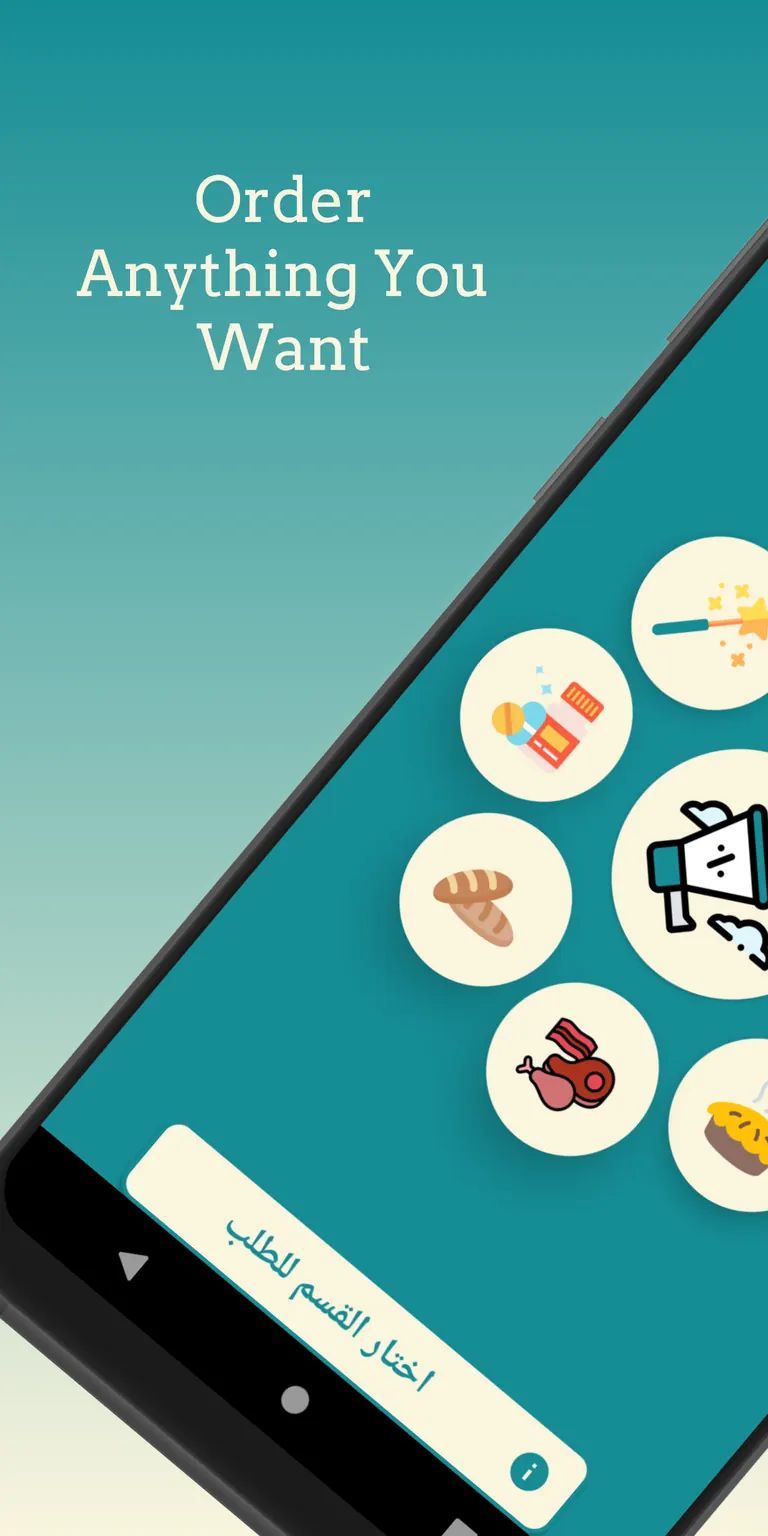
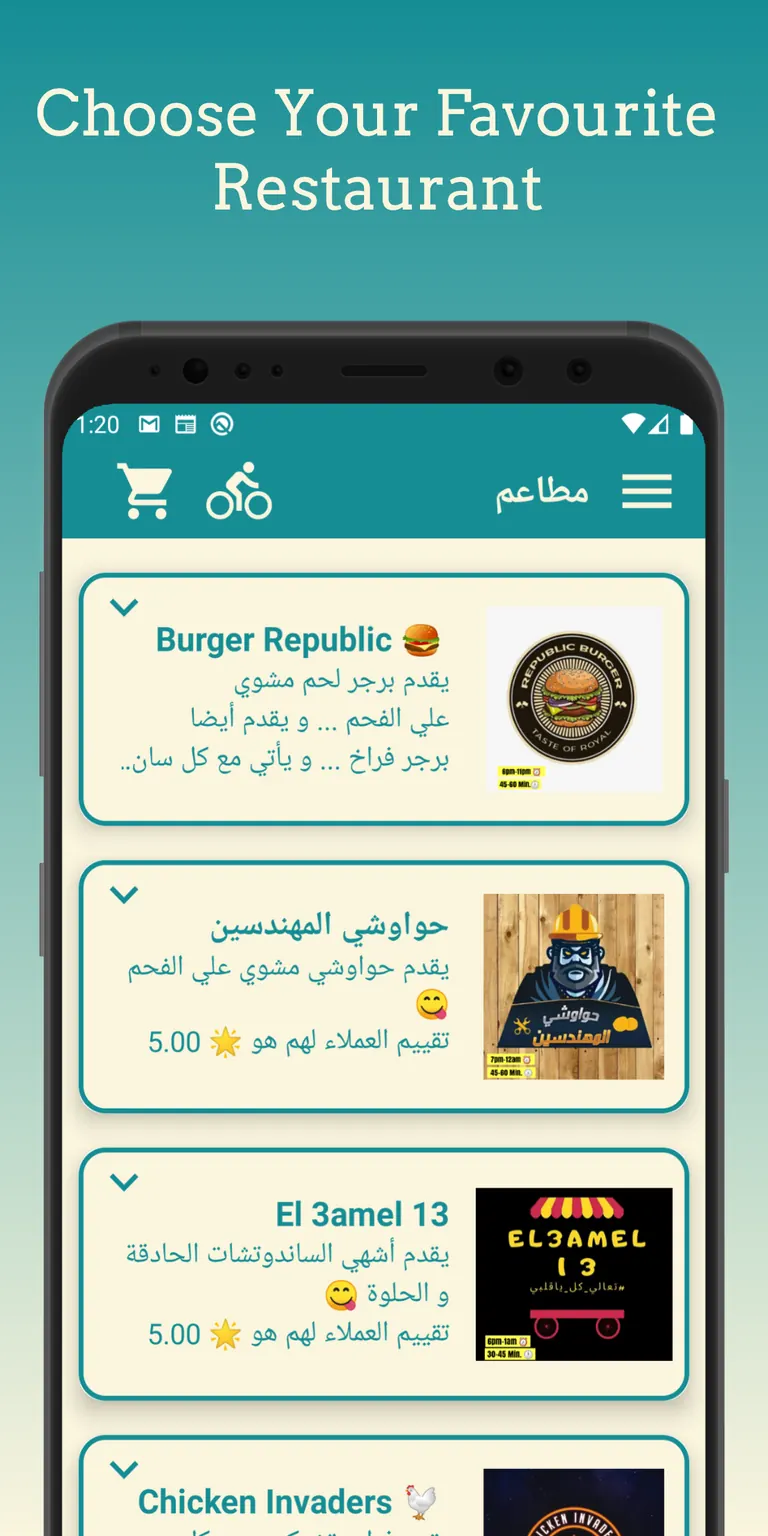
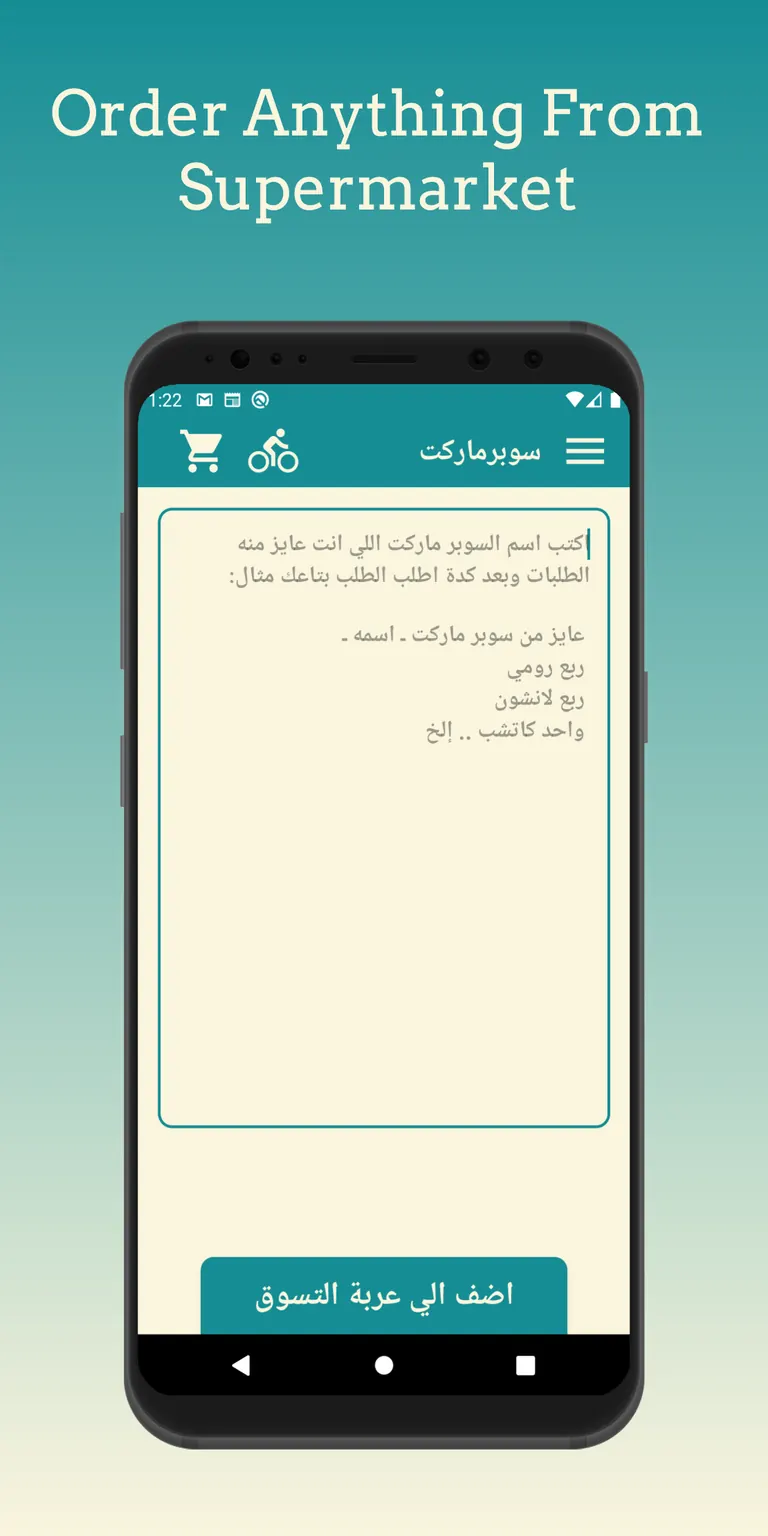
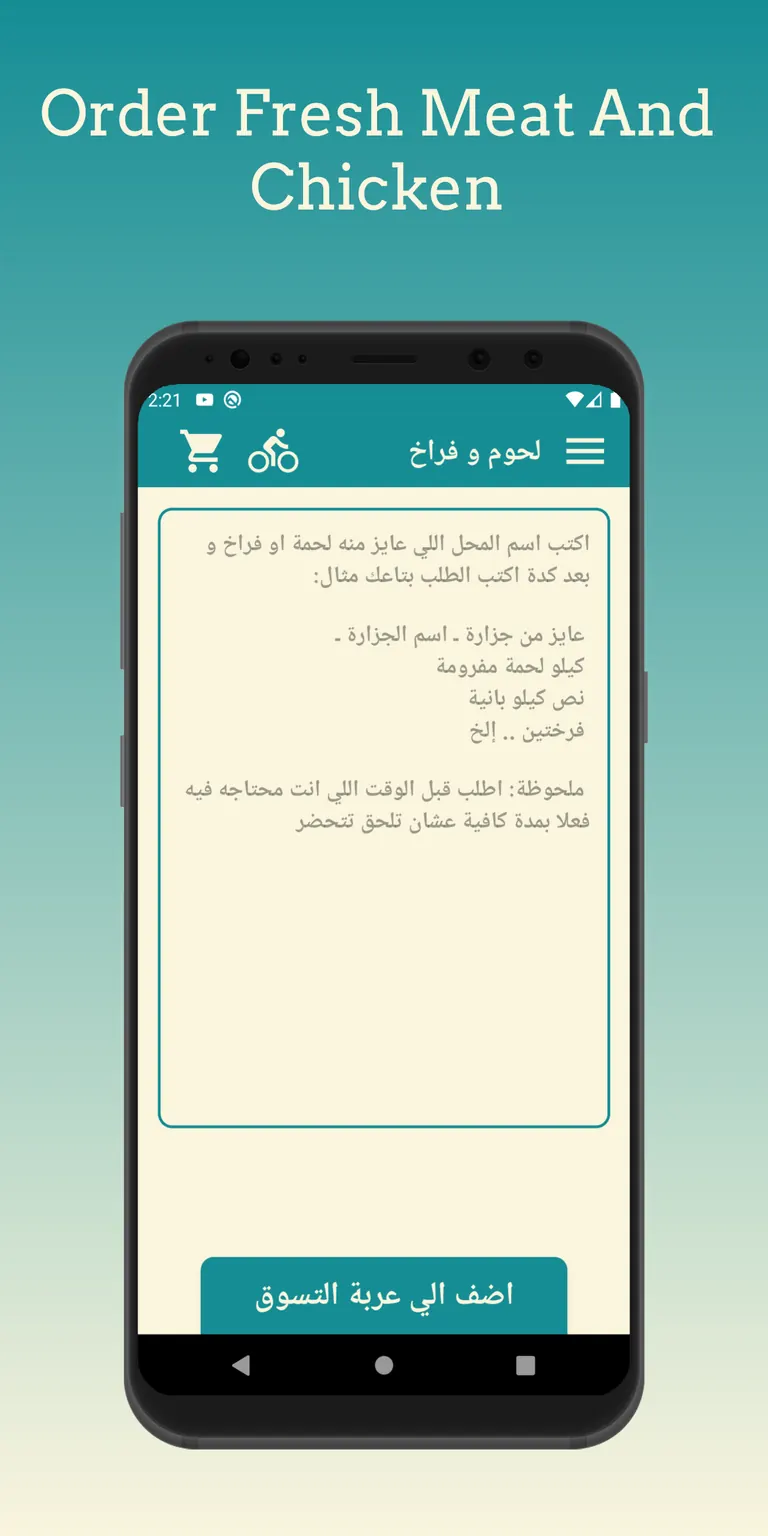
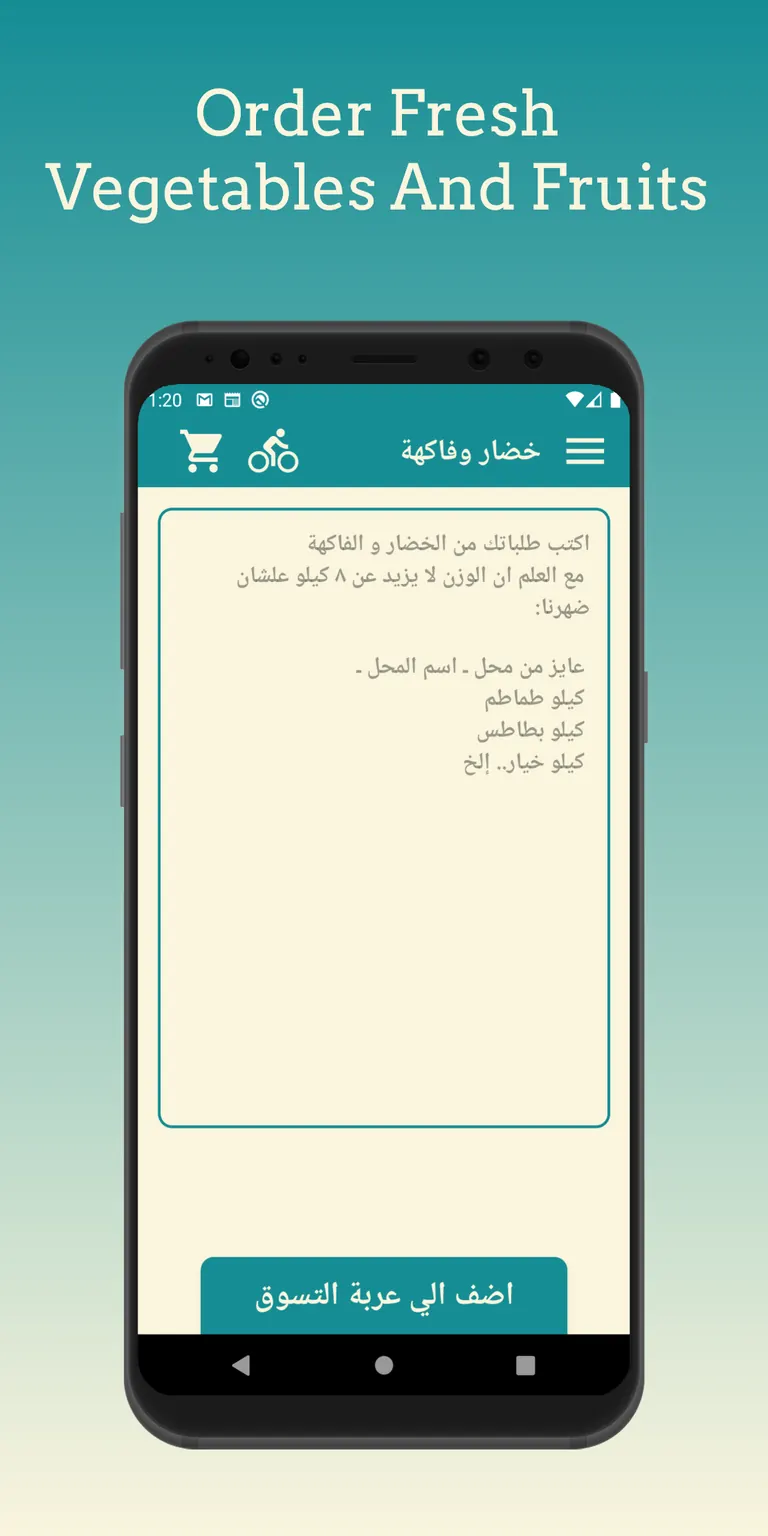
The home screen is a circular menu of eight categories: supermarket, medicine, meat and poultry, desserts, vegetables and fruit, bakery, restaurants, and a catch-all for other things. What happens next depends on the category. Restaurants open a list to choose from, while the supermarket, meat, and produce categories open free-form order screens, where the customer writes the shop and the items in their own words, such as a weight of tomatoes from the market, and adds that request to the cart.
Circular category menu
Eight categories give a fast way into supermarket, produce, meat, and restaurant orders, laid out as a single circular menu instead of a scrolling list.
Free-form orders
Customers can describe exactly what they want from a supermarket or a produce seller instead of picking from a fixed catalogue.
Restaurant lists
A dedicated restaurant flow sits alongside the free-form categories, for the orders that do map cleanly onto a menu.
Offers and promo codes
Promotions and discount codes apply at checkout, so a returning customer can see a saving before confirming an order.
Cart and order history
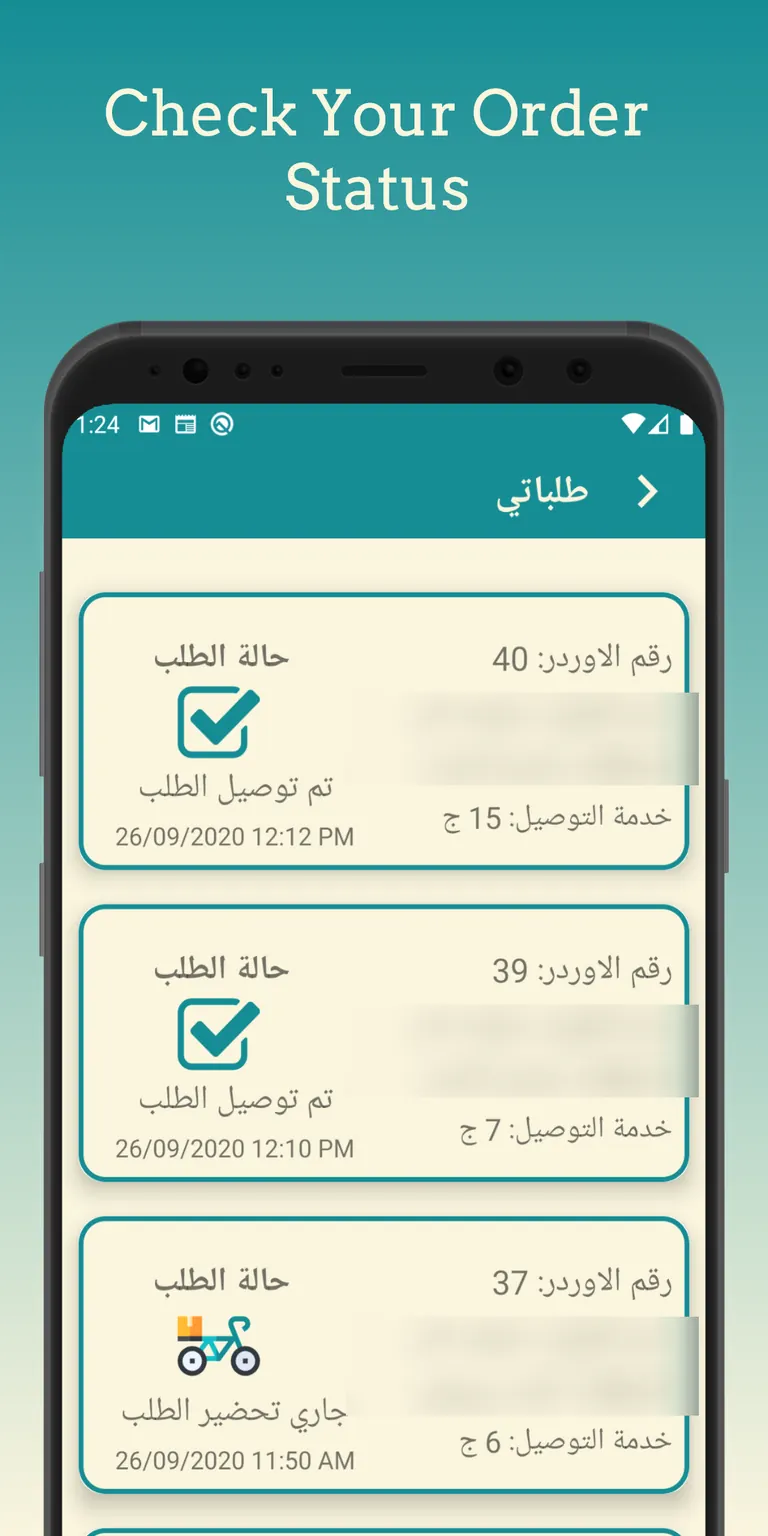
Order history keeps status visible, from "being prepared" to "delivered," so a customer isn't left guessing once an order is placed.
Profile with two addresses
Customers store two delivery addresses and two phone numbers for faster repeat orders, covering the common home-and-work pattern without extra typing.
Facebook and Google sign-in
Sign-in uses Facebook and Google rather than a new account system, so a first order doesn't start with a registration form.
01 / 01
Once an order is placed, My Orders lists it with an order number, the time it was placed, the delivery fee, and a status that moves from “being prepared” to “delivered”, each with its own icon. The profile screen stores a photo that the customer can crop, a name, a detailed address with an optional second one, and a phone number with an optional second one, so a repeat order starts with the details already filled in. Offers get their own page, with an image slider that scrolls through current promotions, and promo codes are tracked per user. That mattered to the client because the shops compete on small savings, and a code a customer enters once should not become a code anyone can reuse. The app also has the small things a neighbourhood service needs: a button to call the courier, sharing and rating the app, an about page, and an AdMob banner.
How it works
The Android interface uses AndroidX Lifecycle to coordinate Firebase Authentication and a single Realtime Database that holds users, orders, and the catalogue, so every screen that touches an order reads and writes through the same data path.
Firebase was the whole back end, which shaped the design in a few ways. There is no server of my own between the app and its data. Sign-in with Facebook or Google goes through Firebase Authentication, orders, users, and the catalogue live in the Realtime Database, profile and product images sit in Firebase Storage, and Firebase Analytics records how the app is used. The upside for a small client was fewer moving parts and nothing extra to host. The cost was that the structure of the database had to carry rules a server would normally enforce, so I kept each order as one record that every screen reads in the same way.
Decisions that mattered
I chose free-form order fields over a fixed product catalogue for every category because a courier business selling on behalf of a bakery, a pharmacy, a butcher, and a produce seller can't maintain one shared product list, and customers already knew what they wanted to say, not what to click.
I chose Facebook and Google sign-in over a first-party account system because a delivery app's first interaction should be placing an order, not filling out a registration form, and both providers were already trusted by the target customers.
Hard problems I solved
ProblemEight very different order types (produce, meat, supermarket, restaurants) don't share one natural data shape, which risked either a bloated generic order model or eight separate, duplicated ones.
FixI kept a single order record with a category field and a free-form details field, and let category-specific screens shape the input without forking the underlying order model.
ProblemTwo people, or two devices for the same person, could edit a cart or a profile address at the same time, which risked silently overwriting one of the changes.
FixI relied on Firebase Realtime Database's own synchronization and structured writes so the last confirmed change always won, rather than building a custom conflict-resolution layer for a single-user cart.
A courier network only works if the person carrying the order and the person waiting for it are both looking at the same status, so the status field on an order had to be a single source of truth rather than something each screen tracked separately. Profile addresses had the same shape of problem in miniature: two saved addresses and two phone numbers meant the app had to be explicit about which one applied to a given order, instead of assuming a customer only ever ordered to one place.
Tech stack
- App
- Android (Java): Client application language
- AndroidX Lifecycle (ViewModel/LiveData): Presentation-layer state
- Data & auth
- Firebase Realtime Database: Users, orders, and catalogue data
- Firebase Auth: Facebook and Google sign-in
- Firebase Storage: Media assets
- Facebook Login: Social sign-in provider
- Tooling
- Firebase Analytics
- AdMob: In-app monetization
Outcome
Dostava was previously published under a client-owned Google Play listing. It is no longer available because the client didn’t continue maintenance or request updates. While it was live, the app carried eight order categories built around the free-form ordering model, giving one courier network a single storefront for shops that had never had one before.
The release work was mine too: preparing signed builds, the store listing, and updates. The listing is gone now only because the client stopped maintaining it, and I can’t point to download or rating figures because none were kept. What remains is the code and the screens on this page, which are the real app.
What I learned
Real users don’t order from a catalogue; they order what they need from whoever has it.
Building the free-form order path first, instead of treating it as a fallback for whatever didn’t fit a proper catalogue, changed how I thought about the rest of the app. The catalogue-style restaurant flow ended up as the special case, not the default, because most of what people actually wanted to order didn’t come from a menu in the first place.
What I’d do next
The eight categories covered what the client’s courier network could actually fulfil at the time. If I revisited it, the free-form order model already generalises to more categories without a rework, so the next step would be adding shop types as the courier side of the business grows, rather than changing how an order itself is structured.